How to use
-
부서 회계화면
-
Be ready for receipts
- Write the date, total amount and payee name on the top of your receipt.
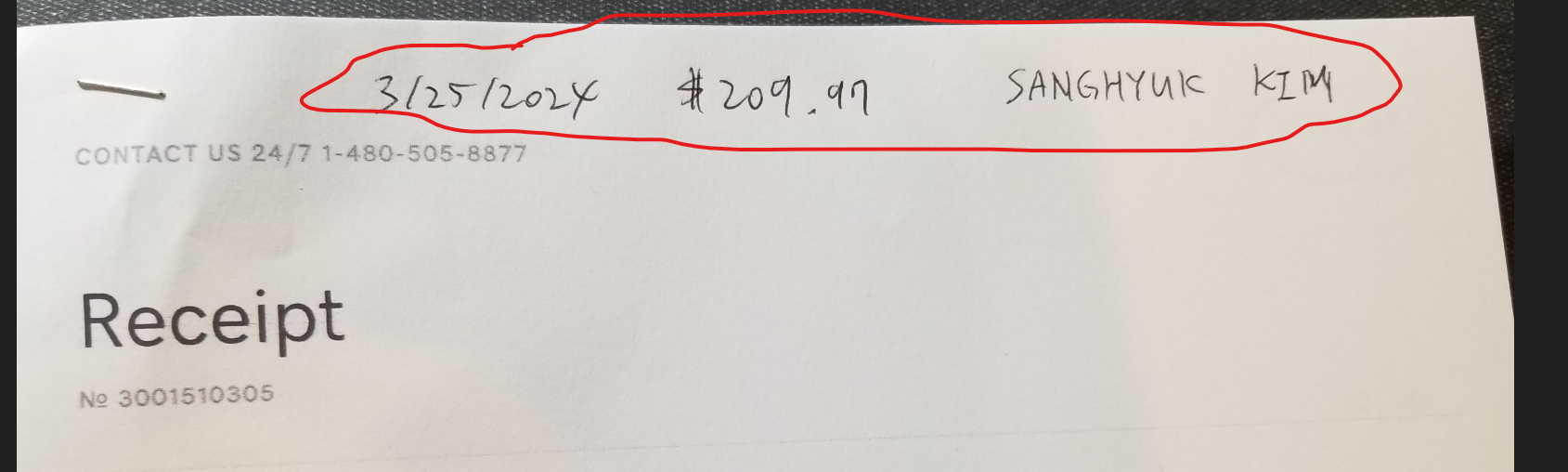
- Take a photo of receipt
- If the receipt is too long or more than 1 page, take two pictures separately.
-
Fill out the reimburse application form
- Log in with your account
- Click the [NEW] button to create new form
- Fill out the form and upload the receipt pictures
- Click the [SAVE] button
- Verify all the columns you filled out.
- * Click the [SUBMIT] button. Once you submit it, you cannot edit it.
-
How to approve it
- Log in with your account
- The red blink circle means you need to approve it.
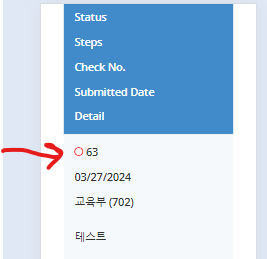
- Click the [DETAIL] button to approve the form.
- Go to the bottom of the page
- Fill out your name in signature
- You can approve or deny the form
- Put the reason or comments
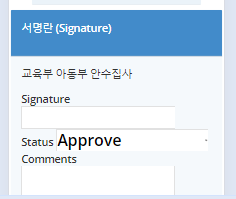
- Click the [SAVE] button.